Always updated ingredients
Update raw ingredient prices once and see cost changes automatically applied across all linked recipes.
Leave messy spreadsheets and guesswork behind. Update one ingredient price, and Foodlio instantly recalculates portion costs, profit margins, and suggested pricing across your entire menu.
Change values and watch the food cost update in real time.
Price − ingredients margin: €8.40
Simplified example: does not include VAT/taxes, labor, or overhead costs. Does not represent net profit.Update raw ingredient prices once and see cost changes automatically applied across all linked recipes.
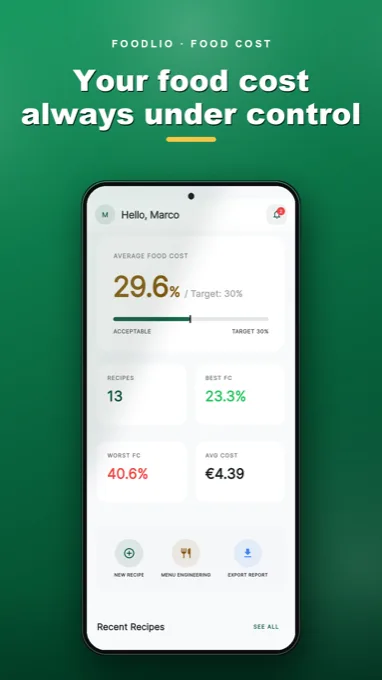
Ingredients and quantities turn into clear metrics: recipe cost, food cost percentage, and unit margin.
Analyze dish performance by popularity and profitability: Stars, Plowhorses, Puzzles, and Dogs.
Input your target food cost percentage to quickly calculate recommended menu prices.
Export your numbers from the app to share professional reports with partners and team members.
Keep an eye on the total real-time value of your in-stock ingredients.
Get started with your first recipes and ingredients.
Unlimited recipes and ingredients, menu engineering, and PDF export.
Explore the app on the stores →Restaurants, pizzerias, cafes, catering companies, bakeries, and anyone looking to master their recipe costs.
No. The difference between price and ingredient cost does not include staff wages, rent, energy, taxes, or general overhead.
Yes, you can start for free with your initial recipes and ingredients. Upgrade options are clearly shown inside the app.